Courses and video lessons
Organise a program into courses and lessons with video, materials and a comment thread. Students resume where they stopped.
For schools, academies and training programs
Courses with video lessons, practice that finds the level of every student, full exam simulations, live classes and attendance — with progress that teachers and parents can actually see.
Features
Lessons, practice, exams, live classes and attendance share one record of each student, so every part knows what the others have seen.
Organise a program into courses and lessons with video, materials and a comment thread. Students resume where they stopped.
Quizzes from a shared question bank, or adaptive drills that choose each question for the student in front of them.
Timed, multi-module exams in a full-screen environment with the tools of the real test, including a digital SAT format.
Teach live from the browser with chat and class controls, and keep the recording on the course for anyone who missed it.
Topic mastery tracked after every answer, a study plan that brings back what is fading, and flashcards on spaced repetition.
One timetable for every class, registers taken in a tap, and an alert to the family when a student is missing.
Who it is for
Students, teachers, parents and school staff each sign in to a dashboard built around what they need to do.
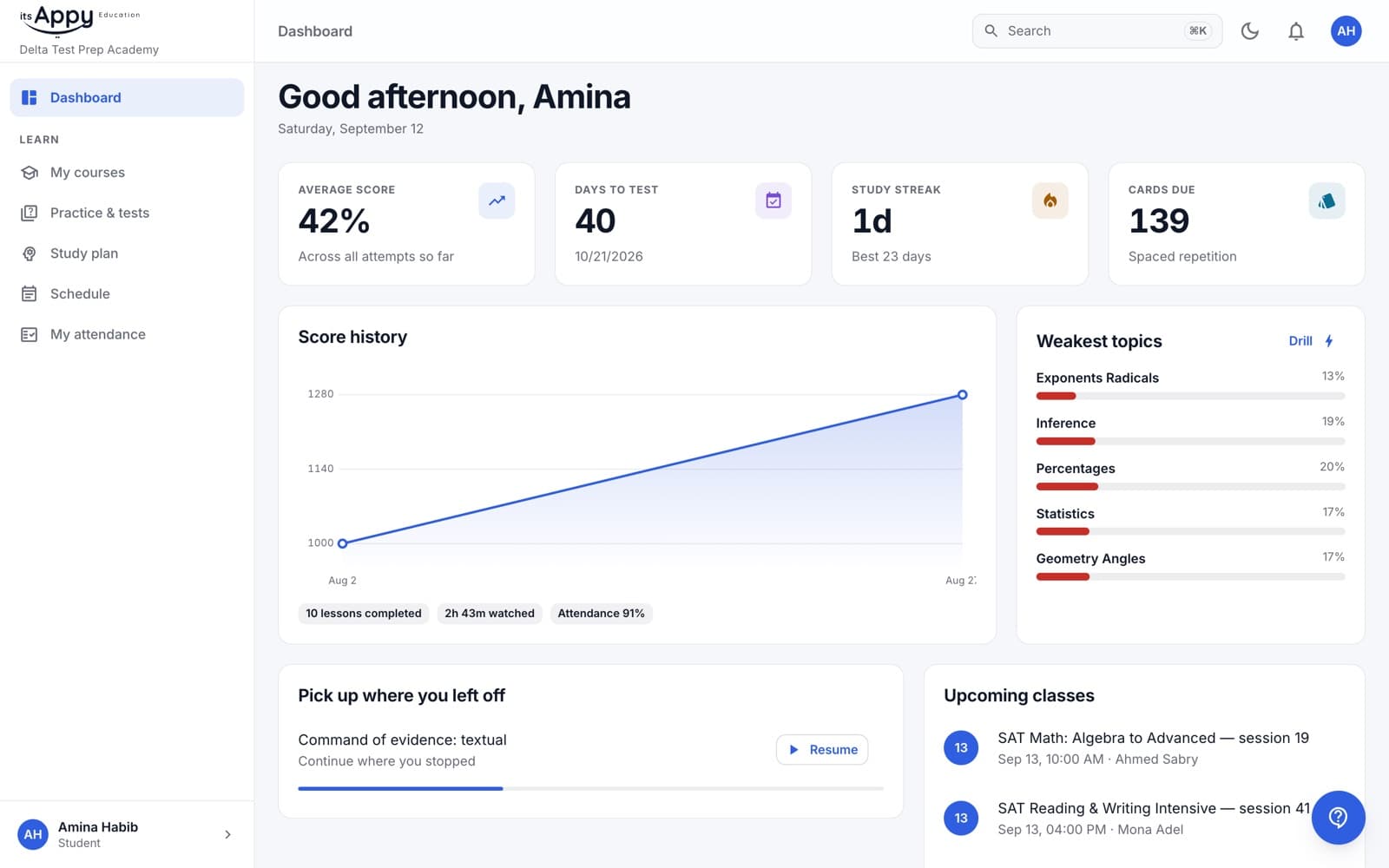
A dashboard with score history, study streak and the topics that need work
Lessons that pick up where you left off
Drills aimed at your weakest topics, and a study plan that adjusts
Your timetable, attendance and upcoming classes in one place
Exam practice
Exams run full screen, module by module, with the timer and tools students will meet on the day. Results come back as a scaled score and a breakdown by topic.
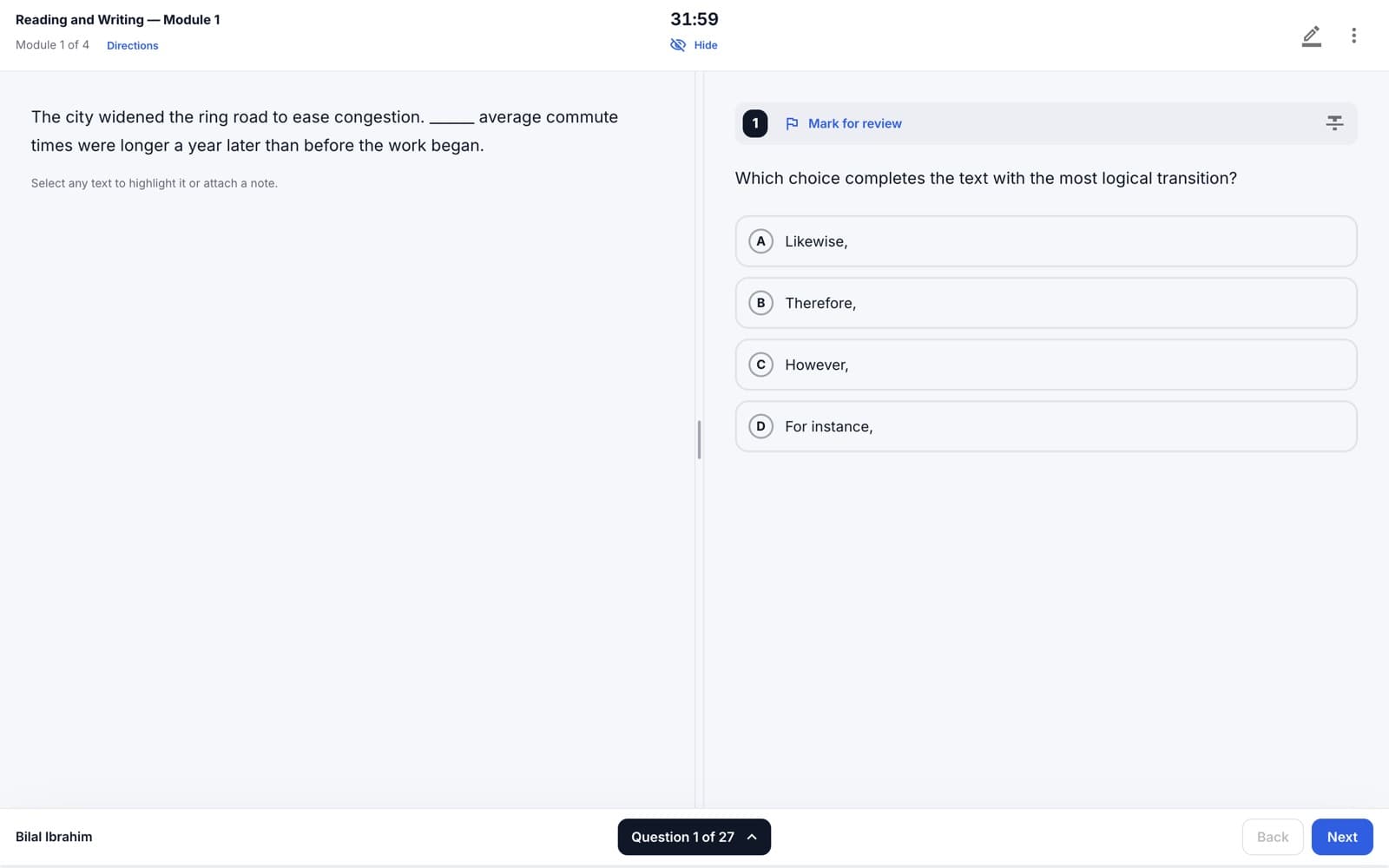
Countdown timer with a five-minute warning
Highlights and notes on the passage
Mark for review and a question navigator
Answer eliminator and line reader
Calculator and reference sheet
Extra time and other accommodations per student
Get started
Accounts belong to a school. Ask yours for its school code, then create your account.
Staff add centers, courses and people, and hand out the school code and activation codes.
They create an account with the school code; an activation code opens each course.
Lessons, practice and live classes — with progress everyone involved can follow.
Any modern browser
Installs on phones and tablets
Desktop app for Windows and Mac
Students and parents can create an account now. Staff accounts are set up by the school.